
AI tools.
Better work.

All toolsWriting & researchMarketing & designVideo & audioMeetings & knowledgeAutomationSales & supportCoding & websitesProductivity & planningData & spreadsheetsSearch & learning
218 tools
Zoho CRM logo from the official Zia product page

Zoho CRM Zia (opens a new tab)

Zoho CRM's AI assistant helps retrieve sales information, draft content and examine patterns in customer records.

Details

Sales & support · Some setup

Best for

Sales teams already maintaining their pipeline in Zoho CRM.

Your first experiment

Ask for a summary of one test deal and compare the answer with the CRM's notes, contacts and next action.

Before you commit

Predictions depend on the quality and amount of your CRM data. Check edition limits and permissions, and review any proposed record changes.

Official source Image source Checked 12 Oct 2026 · Research-based, not a hands-on rating.
Crisp's official artwork for its AI customer service tools

Crisp AI (Hugo) (opens a new tab)

AI customer support tools, including the Hugo agent, that use business knowledge to answer questions and assist your team.

Details

Sales & support · Some setup

Best for

Small support teams combining an automated first response with a shared inbox.

Your first experiment

Test five questions against your approved help articles, including a policy exception that should reach a person.

Before you commit

Keep knowledge sources current and test human handoffs. Check plan allowances and restrict actions involving refunds or customer-account changes.

Official source Image source Checked 12 Oct 2026 · Research-based, not a hands-on rating.

Squarespace's official AI website builder artwork showing a botanical website

Squarespace AI Website Builder (opens a new tab)

Describe your business to generate a website draft that you can refine in Squarespace's visual editor.

Details

Coding & websites · Start yourself

Best for

Service businesses wanting a hosted website they can continue editing themselves.

Your first experiment

Create a sample service site, replace generic copy with verified details and test the mobile enquiry journey.

Before you commit

Publishing requires a website plan. Check accessibility, ownership of supplied images and how easily you can move your content later.

Official source Image source Checked 12 Oct 2026 · Research-based, not a hands-on rating.
JetBrains Junie name and logo on official product artwork

JetBrains Junie (opens a new tab)

A coding agent for planning and carrying out development tasks through JetBrains tools and a command-line interface.

Details

Coding & websites · Expert setup

Best for

Businesses with developers who want AI assistance within their existing development workflow.

Your first experiment

Assign a small bug in an isolated project copy with clear acceptance criteria, then inspect the changes and run the relevant tests.

Before you commit

Review command and repository permissions, model usage and generated code. Keep a developer responsible for approval before merging or releasing.

Official source Image source Checked 12 Oct 2026 · Research-based, not a hands-on rating.
Raycast AI's official virtual assistant artwork

Raycast AI (opens a new tab)

A desktop AI assistant that uses files, screen context and connected tools to help with everyday work.

Details

Productivity & planning · Some setup

Best for

Owners who want quick AI assistance while working across desktop apps.

Your first experiment

Turn a set of your own non-confidential notes into a client-update draft, then check every fact before sending it.

Before you commit

The current AI assistant requires macOS Tahoe and Apple Silicon. Review screen and app access, and check your plan's AI credits.

Official source Image source Checked 12 Oct 2026 · Research-based, not a hands-on rating.
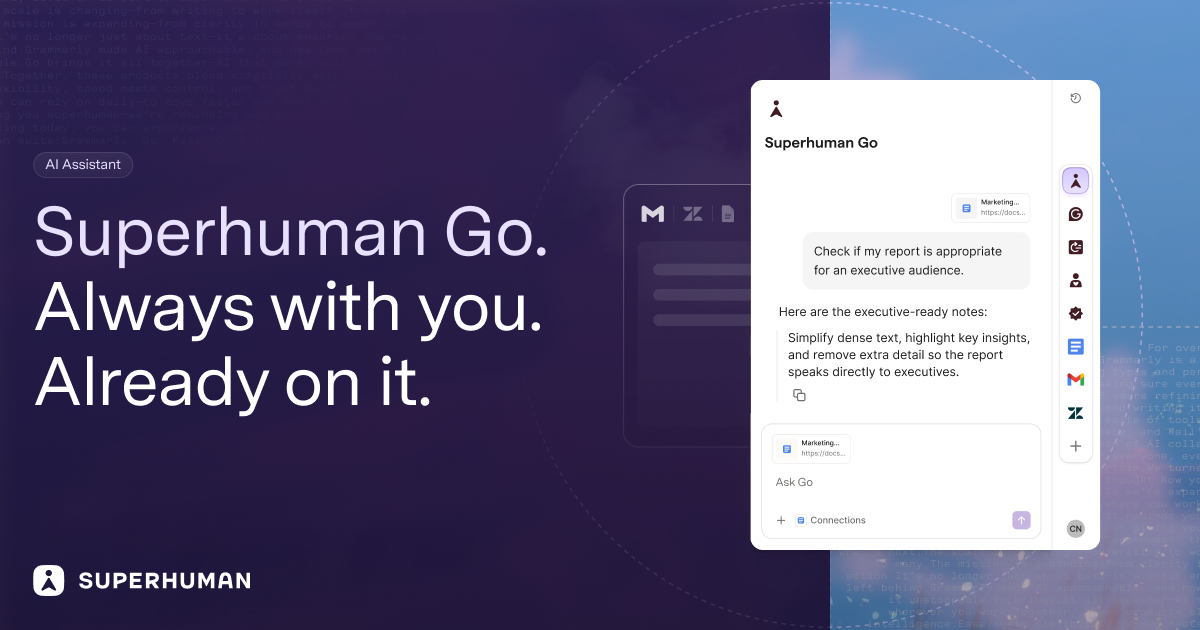
Superhuman Go product artwork showing its assistant panel

Superhuman Go (opens a new tab)

An AI assistant that works alongside your apps, using selected context to help draft, research and carry out tasks.

Details

Productivity & planning · Some setup

Best for

People handling related work across documents, email and other business apps.

Your first experiment

Use an approved project brief to draft a short status update and a list of missing information, then check both against the brief.

Before you commit

Review connected-app permissions and data settings. Keep approval steps for messages, shared documents and actions that change business records.

Official source Image source Checked 12 Oct 2026 · Research-based, not a hands-on rating.
Copilot in Excel menu showing Allow editing, Plan and Chat only modes

Copilot in Excel (opens a new tab)

Microsoft's spreadsheet assistant helps build and edit workbooks, write formulas and create charts and summaries.

Details

Data & spreadsheets · Some setup

Best for

Teams already analysing business data in Excel.

Your first experiment

On a copy of an anonymised sales table, request a monthly summary and chart, then manually reconcile one month's total.

Before you commit

Editing mode can change the workbook directly; use a copy or Chat only when exploring. Verify formulas and totals, and check licence eligibility.

Official source Image source Checked 12 Oct 2026 · Research-based, not a hands-on rating.
Google Sheets with Gemini assistance and charts in official product artwork

Gemini in Google Sheets (opens a new tab)

AI assistance inside Google Sheets for formulas, data organisation, analysis and charts.

Details

Data & spreadsheets · Some setup

Best for

Teams already sharing operational spreadsheets in Google Workspace.

Your first experiment

On a copy of 20 anonymised feedback rows, ask for three fixed category labels and compare the results with your own classification.

Before you commit

Check your account's feature access and review generated formulas and labels. Keep an original copy and verify totals before making business decisions.

Official source Image source Checked 12 Oct 2026 · Research-based, not a hands-on rating.
Duck.ai's official duck mascot artwork

Duck.ai (opens a new tab)

Ask questions and compare AI explanations through a choice of chat models accessed via DuckDuckGo.

Details

Search & learning · Start yourself

Best for

Owners learning unfamiliar concepts who want clear privacy controls for everyday AI chat.

Your first experiment

Ask for two explanations of an unfamiliar business concept, then check the key points against an official reference.

Before you commit

Privacy protections do not make answers accurate. Review provider retention exceptions and avoid uploading confidential client files without approval.

Official source Image source Checked 12 Oct 2026 · Research-based, not a hands-on rating.

A good tool is a start.
A connected workflow is better.

Already have a few apps? See where they could save you copying, chasing and repeat work.

Map my tools
About this directory

We select tools using official product information, not paid rankings or hands-on ratings. Check current features and plans before buying.

Sources checked 12 Oct 2026. We review the directory weekly.

Your shortlist stays in this browser. Product images belong to their respective providers.