All AI tools

AI tools for writing and research

Compare assistants for drafting, summarising and researching business questions. Start with the kind of source material you use and the output you need to check.

All toolsWriting & researchMarketing & designVideo & audioMeetings & knowledgeAutomationSales & supportCoding & websitesProductivity & planningData & spreadsheetsSearch & learning
23 tools
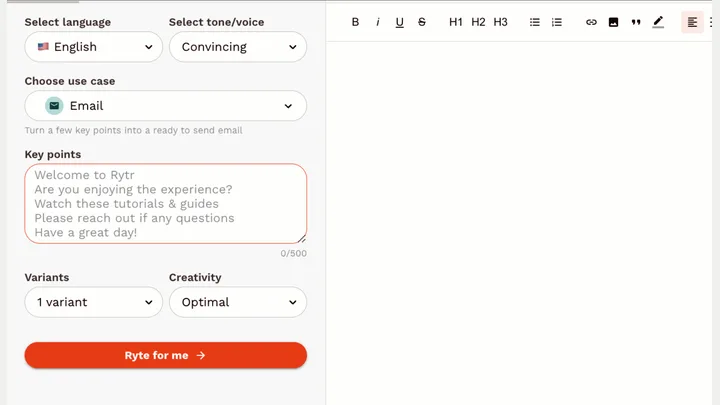
Rytr — official product artwork

Rytr (opens a new tab)

An AI writing assistant for short marketing drafts, emails and everyday copy.

Details

Writing & research · Start yourself

Best for

Small businesses needing quick first drafts from a clear brief.

Your first experiment

Provide your actual offer and audience, then draft three concise social captions.

Before you commit

Replace generic wording and verify every factual claim before posting.

Official source Image source Checked 12 Oct 2026 · Research-based, not a hands-on rating.
Frase — official product artwork

Frase (opens a new tab)

A content workspace for research, drafting, optimisation and publishing workflows.

Details

Writing & research · Start yourself

Best for

Teams building briefs and improving substantive articles.

Your first experiment

Create an outline for a real buyer question, then add your own examples and checked sources.

Before you commit

Research suggestions are not evidence. Verify claims and avoid reproducing competitors' wording.

Official source Image source Checked 12 Oct 2026 · Research-based, not a hands-on rating.
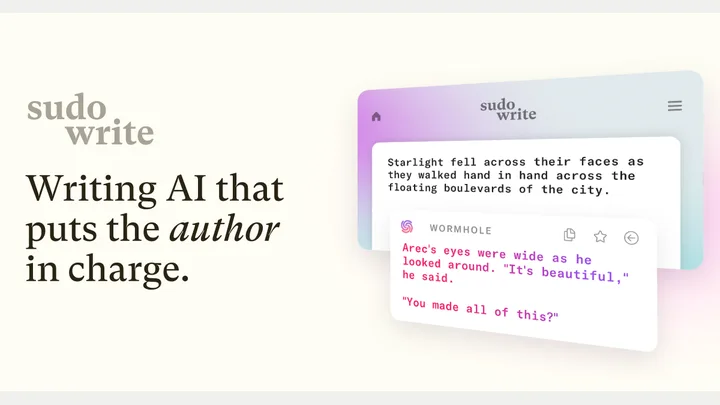
Sudowrite — official product artwork

Sudowrite (opens a new tab)

A fiction-focused writing assistant for developing scenes, characters and prose.

Details

Writing & research · Start yourself

Best for

Writers and creative businesses exploring narrative ideas.

Your first experiment

Develop two versions of a fictional brand-story scene, then keep the one that sounds like you.

Before you commit

Its strength is creative writing, not factual research. Never turn invented stories into testimonials.

Official source Image source Checked 12 Oct 2026 · Research-based, not a hands-on rating.
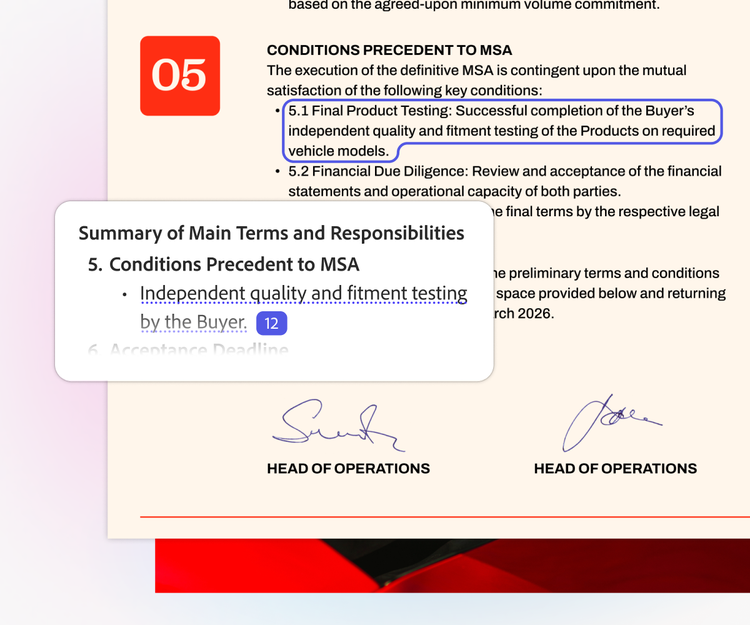
Adobe Acrobat document interface with an AI summary and highlighted contract text

Adobe Acrobat AI Assistant (opens a new tab)

Ask questions about documents, find supporting references and turn long PDFs into summaries.

Details

Writing & research · Start yourself

Best for

Owners reviewing lengthy supplier documents, reports or other business reading.

Your first experiment

Upload a public report, ask for its three main recommendations and open each cited passage to check the answer.

Before you commit

Check answers against the original document. Review file confidentiality and whether your subscription includes the AI features you need.

Official source Image source Checked 12 Oct 2026 · Research-based, not a hands-on rating.
LanguageTool writing assistant logo

LanguageTool (opens a new tab)

Check spelling, grammar and style across several languages, with AI help to rephrase text.

Details

Writing & research · Start yourself

Best for

Businesses writing customer messages or website copy in more than one language.

Your first experiment

Check a short customer email in a language you use for work, then compare each suggested change with the intended meaning.

Before you commit

Suggestions can change tone or meaning, and language coverage varies. Review browser-extension permissions before using it around sensitive text.

Official source Image source Checked 12 Oct 2026 · Research-based, not a hands-on rating.
ChatPDF official product logo

ChatPDF (opens a new tab)

Ask questions about uploaded PDFs, get summaries and follow citations back to the document.

Details

Writing & research · Start yourself

Best for

Owners comparing reports, supplier manuals or other lengthy documents.

Your first experiment

Upload a public supplier manual, ask three practical questions and check each answer against its cited page.

Before you commit

Answers can misread tables or miss exceptions. Check upload and retention terms before using confidential documents.

Official source Image source Checked 12 Oct 2026 · Research-based, not a hands-on rating.
Google Translate logo from its official product page

Google Translate (opens a new tab)

Translate text, speech, images, documents and websites across languages.

Details

Writing & research · Start yourself

Best for

Small businesses preparing first drafts of multilingual customer information.

Your first experiment

Translate one public service description, then ask a fluent speaker to check its terminology and tone.

Before you commit

Language support varies by mode. Have important customer, contractual or technical wording checked by a qualified person.

Official source Image source Checked 12 Oct 2026 · Research-based, not a hands-on rating.
Choosing a tool

Try the same brief and source documents in two tools. Compare factual accuracy, editable output and how easily you can trace a statement to its source. A fluent draft still needs your judgment.

A good tool is a start.
A connected workflow is better.

Already have a few apps? See where they could save you copying, chasing and repeat work.

Map my tools
About this directory

We select tools using official product information, not paid rankings or hands-on ratings. Check current features and plans before buying.

Sources checked 12 Oct 2026. We review the directory weekly.

Your shortlist stays in this browser. Product images belong to their respective providers.